Small tools for the Mac

The little things macOS forgot.

Each Qiffe app does one job your Mac should already do. Made with care, native to the bone, one price and yours for good.

  1. No. 01SweepBarDisk space
  2. No. 02DoffUninstaller
  3. No. 03MulliganFolder undo
  4. No. 04DesktideDesktop workspace
SweepBar app icon

SweepBar

Your free disk space, always in sight, and a safe way to win it back.

Job
Shows free space in the menu bar; clears developer caches that are safe to delete.
Price
Free to scan · $5.99 once to sweep
Needs
macOS 15 or later
SweepBar's popover under its menu bar item: 20.6 GB selected to sweep, a Sweep button, 453 GB used and 41 GB available.
Fig. 1The popover under SweepBar’s menu bar item: what you can safely sweep, and how full your disk is.
Doff app icon

Doff

Take an app off your Mac. All of it.
Job
Removes an app with the caches, settings, containers and helpers it left behind.
Price
Free to scan · $12.99 once to remove
Needs
macOS 15 or later, Full Disk Access
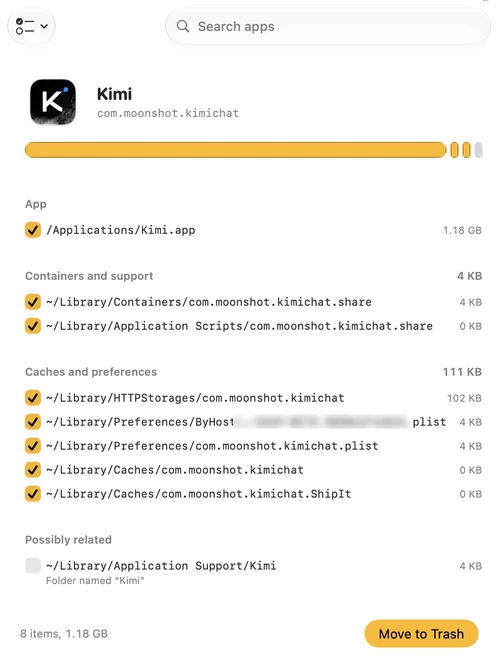
Doff reviewing Kimi: its footprint bar, the app, its containers, caches and preferences ticked, and one possibly related folder unticked, with a Move to Trash button.
Fig. 2Everything an app left behind, grouped by where it lives. Only confident matches are ticked.
Mulligan app icon

Mulligan

Save a folder before anyone changes it. Put it back in seconds.
Job
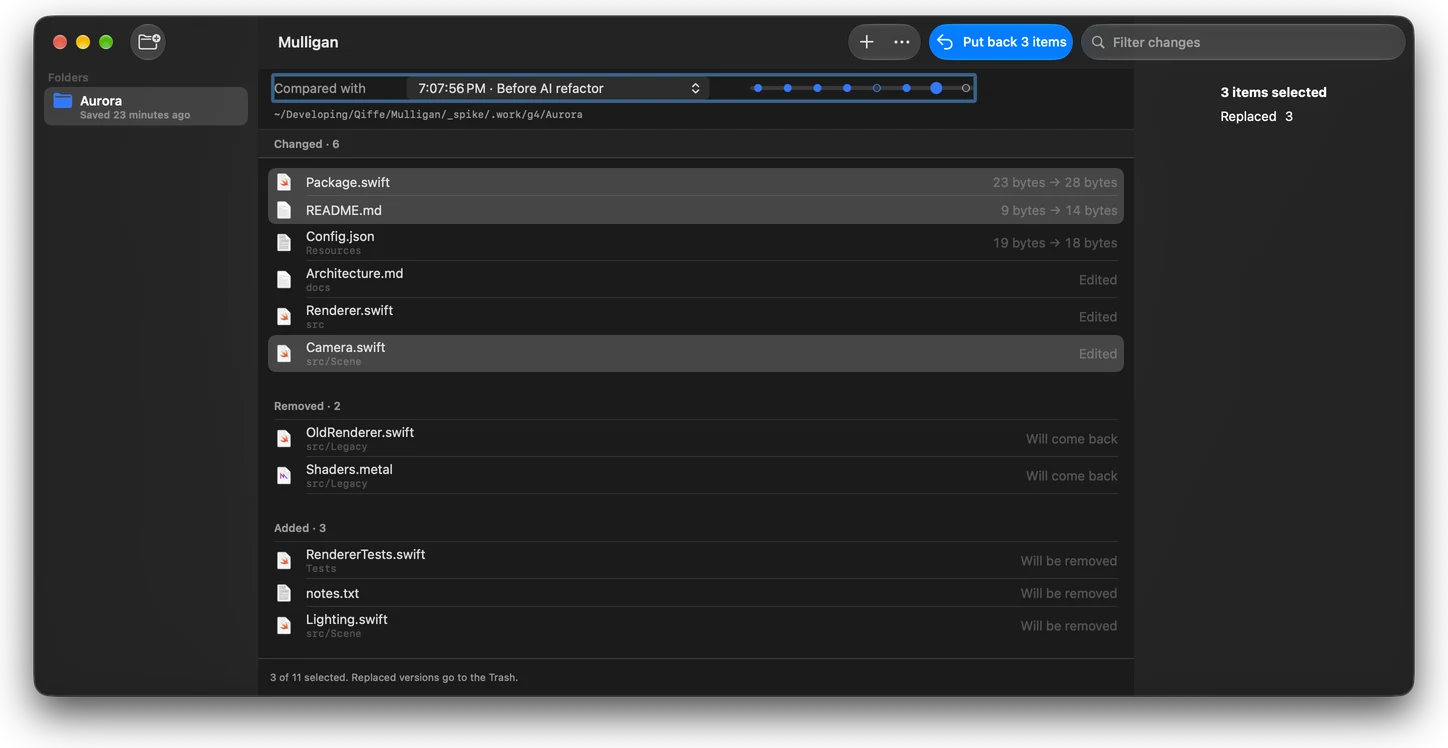
Saves a folder as an APFS clone before you, a script or an AI agent change it; puts back all of it or single files.
Price
2 mulligans free · $9.99 once for unlimited
Needs
macOS 15 or later, an APFS disk
Mulligan's main window: the folder Aurora compared with the mulligan “Before AI refactor”, files that changed, were removed or were added, three of them selected, and a Put back 3 items button.
Fig. 3Everything that changed since a mulligan. Select what you want back, then Put back.
Desktide app icon

Desktide

Your desktop, as a workspace. Notes, a live calendar and tidy zones, drawn right on the wallpaper.

Job
Turns the desktop into a month calendar, a today planner or a board you write on; zones keep desktop files in real folders.
Price
Coming soon to the Mac App Store
Needs
macOS 15 or later
The Month layout: October as a full-desktop calendar with events, reminders and a five-day trip, and zones at the right holding PDFs, images and folders.
Fig. 4The Month layout: real Calendar events and reminders in the grid, a trip as one bar, and zones holding files at the right.

How we make them

  1. One job each.

    If an app needs a manual, it does too much. Each one solves one problem and stops there.

  2. Made for the Mac.

    Native, small downloads, a light touch on memory and battery. They feel like part of macOS.

  3. Built-in first.

    If macOS already does it, our guides say so. We only build what your Mac still can't do well.